WhatsApp Groups vs Channels vs Communities: Which One Should You Use?
Updated 14 Oct 2026
Contents
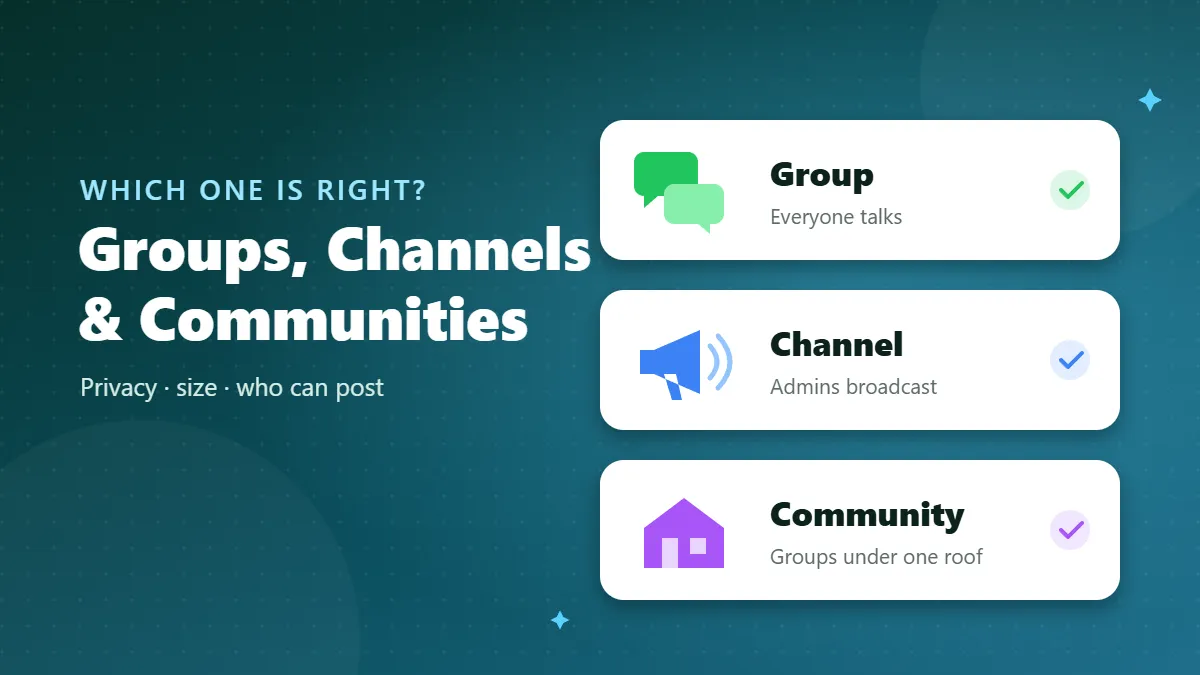
- WhatsApp groups: conversation between members
- WhatsApp channels: one-way updates
- WhatsApp communities: groups under one roof
- Side-by-side comparison
- Which one should you join?
- Which one should you create?
- Three real-world scenarios
- Settings each type gives you
- What happens to media, links and forwards
- Common mistakes to avoid
- How to tell them apart on a link
- Group, channel or community: the one-line rule
WhatsApp started with simple chats and groups. Over the years it added communities, which bundle groups together, and channels, which work more like a one-way news feed. All three show up in the same app and all three can be joined from a link, so it is easy to mix them up. But they protect your privacy differently, they suit different sizes of audience, and choosing the wrong one can make a project feel chaotic. This guide compares them side by side and helps you decide which one to join — or create.
WhatsApp groups: conversation between members
A group is a shared chat where every member can (unless the admin restricts it) send messages, photos, voice notes and documents. Everyone sees everyone else’s messages, and in most groups members can see each other’s phone numbers. Groups can hold up to around a thousand members, but they work best much smaller, because conversation becomes hard to follow when hundreds of people talk at once.
Best for: teams, classes, families, neighbourhood circles, hobby clubs, customer groups where people need to ask questions, and any situation where members should talk to each other.
Watch out for: privacy (your number is visible), noise in large groups, and the fact that anyone with the invite link can join unless approval is turned on.
WhatsApp channels: one-way updates
A channel is a broadcast tool. Admins post updates — text, photos, videos, links, polls — and followers receive them in a separate Updates tab, away from personal chats. Followers can react with emojis and vote in polls, but they cannot post. Most importantly, followers do not see each other, and admins cannot see followers’ phone numbers. There is no practical limit on the number of followers.
Best for: news pages, job alerts, schools posting announcements, creators, shops sharing offers, religious reminders, sports score updates — anything where a few people inform many.
Watch out for: there is no conversation. If your audience needs to ask questions, you will need a separate way to answer them.
WhatsApp communities: groups under one roof
A community is a container that links several related groups together. Think of a school community that contains one group per class, a group for parents and a group for teachers, all under one name. Every community has an announcement group where admins can message all members of all linked groups at once. Members only see the groups they joined, and in announcement groups members’ numbers are generally hidden from each other.
Best for: organisations with sub-groups: schools, housing societies, companies, large clubs, mosques and event organisers.
Watch out for: communities take more setting up, and they are usually private — they are not meant for strangers finding you through a public link.
Side-by-side comparison
| Feature | Group | Channel | Community |
|---|---|---|---|
| Who can post | All members (or admins only, if set) | Admins only | Depends on each group; announcements by admins |
| Members see each other’s numbers | Usually yes | No | Not in the announcement group |
| Typical size | Small to medium | Unlimited followers | Many groups, many members |
| Conversation | Yes | No (reactions and polls) | Yes, inside linked groups |
| Where it appears | Chats tab | Updates tab | Communities tab / chats |
| Best use | Discussion | Broadcasting | Organising |
Which one should you join?
As a member, the question is mostly about privacy and noise:
- Want updates without strangers seeing your number? Follow a channel. It is the safest way to keep up with job alerts, news or sports scores.
- Want to ask questions and learn from others? Join a group, but choose one with clear rules and active admins, and mute it if it gets busy.
- Belong to an organisation? Use its community so you only see the groups that matter to you, plus important announcements.
Many topics now exist in both forms. A cricket fan, for example, might follow a channel for live scores and join a smaller group of local fans for match-day chat. That combination gives you fast updates and real conversation without the chaos of a thousand-person group.
Which one should you create?
Start from what you want people to do:
- “I want people to talk to each other.” Create a group. Keep it focused, write rules in the description, and add one or two co-admins.
- “I want to inform as many people as possible.” Create a channel. You avoid the spam and arguments that large groups attract, and your followers’ privacy is protected.
- “I run something with several teams or classes.” Create a community and link the groups you already have.
A practical pattern for growing projects is to start with a group while you are small, then open a channel for announcements once the group becomes noisy, keeping the group for your most active members.
Three real-world scenarios
A local cricket club
The club has 40 active players and a few hundred supporters. The best setup is a group for players (match times, transport, who is available) and a channel for supporters (fixtures, scores, photos). Players get a place to coordinate, supporters get updates without filling a chat with “who is playing today?” questions, and nobody’s phone number is exposed to hundreds of strangers.
A school
Here a community shines. Each class gets its own group for teachers and parents, the staff have their own group, and the announcement group carries school-wide notices such as holidays or fee dates. Parents only see the classes their children are in, and urgent notices reach everyone at once.
A small online shop
A shop selling clothes or home-made food usually starts with a group of regular customers. As it grows, the group fills with order questions and the same offer gets asked about again and again. Moving offers and new arrivals to a channel keeps them visible, while customers who want to order send a direct message. The shop can keep a small group for its most loyal buyers.
Settings each type gives you
Knowing the controls helps you pick the right tool:
- Groups let admins choose who can send messages, who can edit the group name and picture, whether new members need approval, and whether messages disappear after a set time. Admins can also reset the invite link whenever it spreads too far.
- Channels let admins choose who can find the channel, which emoji reactions are allowed, and whether to share new posts as polls or media. Followers can mute a channel or unfollow at any time, and there is no member list to manage.
- Communities let the owner add or remove linked groups, choose who can add new groups, and send announcements to everyone. Each linked group keeps its own admins and settings.
What happens to media, links and forwards
In groups, every photo and video can be downloaded by every member, and long discussions can use a lot of phone storage — another reason to turn off automatic media download for busy groups. Channel posts can be forwarded by followers into their own chats, which is great for reach but means you should never post anything private. Communities behave like groups for media, so the same storage tips apply.
Common mistakes to avoid
- Using a giant group as a broadcast list. If only admins post, a channel or an announcement group does the job better and keeps members’ numbers private.
- Posting the same message in groups, channel and community. People who are in all three get three notifications. Pick one main place for each type of message.
- Forgetting to moderate. Any space where members can post needs rules and someone to enforce them.
- Making a public link for a private community. Communities are designed for people who already belong; sharing their links widely invites spam.
How to tell them apart on a link
Group invite links start with chat.whatsapp.com/, while channel links use whatsapp.com/channel/. On our directory every listing is labelled: channels carry a blue “Channel” tag and a “Follow Channel” button, groups have a “Join Group” button. That way you always know whether you are about to join a conversation or simply follow updates.
Group, channel or community: the one-line rule
Groups are for talking. Channels are for broadcasting privately to many. Communities are for organising several groups under one name. Choose by what you want people to do, and your WhatsApp life — as a member or as an admin — gets noticeably calmer.
Frequently Asked Questions
Can channel followers see my phone number?
No. Followers of a WhatsApp channel cannot see each other’s numbers, and the admin cannot see followers’ numbers either.
Can I reply in a WhatsApp channel?
Followers can react with emojis and, in many channels, vote in polls, but they cannot send messages into the channel.
Is a community the same as a big group?
No. A community is a container that links several groups together under one name, with an announcement group that reaches everyone.
Which is best for a business?
A channel is best for broadcasting offers to many people privately; a group is best for a small circle of customers who need to talk to you and each other.