WhatsApp Channels Explained: How to Follow, Create and Grow One
Updated 5 Nov 2026
Contents
- What is a WhatsApp channel?
- Privacy: why channels are safer for followers
- How to find and follow channels
- Managing the channels you follow
- Creating your own channel
- What to post
- How to grow a channel
- Understanding your audience
- Rules and responsibilities for channel owners
- Running a channel with a team
- Channels and groups together
- Common mistakes
- Who benefits most from channels
- Why channels are worth following and creating
WhatsApp channels changed how people get information on WhatsApp. Instead of joining a crowded group where your number is visible to hundreds of strangers, you can follow a channel and receive updates quietly in a separate tab. For creators, shops, schools and news pages, channels offer something groups never could: a way to reach thousands of people without a noisy chat to moderate. This guide explains how channels work, how to follow them safely, and how to create and grow your own.
What is a WhatsApp channel?
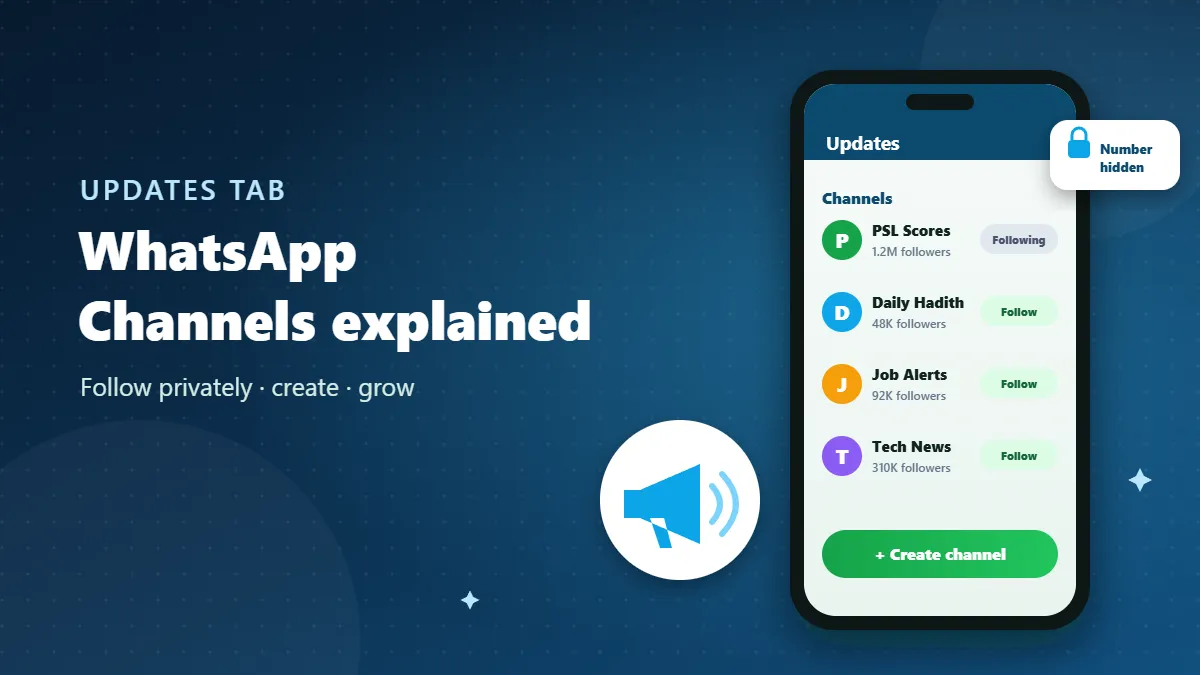
A channel is a one-way broadcast tool inside WhatsApp. Admins post text, photos, videos, links, stickers and polls. Followers see these posts in the Updates tab, separate from their chats. Followers can react with emojis and vote in polls, but they cannot reply or post. There is no member list, no chat between followers and no limit on how many people can follow.
Privacy: why channels are safer for followers
Privacy is the biggest difference from groups:
- Your phone number is hidden from the admins and from other followers.
- Other followers cannot see that you follow the channel.
- Your profile photo is not shown to the channel.
- Channel posts are kept for a limited time rather than forever.
That makes channels ideal for following topics like job alerts, sports scores or daily reminders, where you want information but not contact with strangers.
How to find and follow channels
- Open WhatsApp and go to the Updates tab.
- Scroll to Channels and tap Find channels (or the plus icon).
- Browse suggested channels or search by name.
- Tap Follow.
You can also follow from a link. Channel links start with whatsapp.com/channel/. On our directory, channels have a blue “Channel” label and a “Follow Channel” button, and each one has its own page explaining what it posts.
Look for a verified badge on channels that claim to belong to a brand, organisation or public figure. If a channel uses a big name without the badge, treat it with caution.
Managing the channels you follow
- Mute a busy channel: open it, tap the name, and turn off notifications. Updates still arrive in the tab.
- Unfollow at any time from the same screen. The admin is not notified who unfollowed.
- Report channels that share scams, misinformation or harmful content.
- Forward useful posts to friends; they will see which channel it came from and can follow it too.
Creating your own channel
- Go to the Updates tab.
- Tap the plus icon next to Channels and choose Create channel.
- Follow the prompts and add a name, a description and an icon.
- Tap Create channel.
Then open the channel settings to choose who can find it and which emoji reactions followers may use. Copy your channel link from the channel info screen to share it.
Naming and describing your channel
Use a name that says exactly what followers will get: “Lahore Govt Job Alerts”, “Daily Hadith Reminders”, “PSL Live Scores”. The description should promise something specific and realistic: “2–3 verified job posts every weekday, with official links to apply.” Clear promises attract the right followers and help directories list you in the right category.
What to post
Channels work best with a consistent format and schedule:
- News and alerts: short headline, one-line context, official link.
- Education: a daily tip, word, formula or question.
- Shops: new arrivals with photos and prices, limited-time offers.
- Community and religious channels: reminders, event times, short reflections.
- Polls: ask followers what they want next; it is the only two-way tool you have, so use it.
Quality beats quantity. Five useful posts a week keep followers; twenty a day make them mute or unfollow.
How to grow a channel
Share the link where your audience is
Add your channel link to your website, social media bios, YouTube descriptions, shop counter (as a QR code) and email signature. Mention it in any WhatsApp groups you run, so members can follow for updates and keep the group for discussion.
List it in directories
People search directories for topics. A listing with a clear description and category puts your channel in front of people already looking for what you post.
Make posts worth forwarding
Every forwarded post shows your channel name, so useful, shareable content is free promotion. Infographics, clear tips, timely alerts and good-quality photos travel furthest.
Be consistent
Post on a predictable schedule. Followers learn when to expect you, and the algorithm-free nature of channels means consistency is what keeps you visible.
Cross-promote carefully
Partner with channels in related (not identical) topics to mention each other. A cricket scores channel and a cricket memes channel can help each other without competing.
Understanding your audience
Because you cannot see who follows you, you need other ways to understand your audience. The channel info screen shows your follower count, and every post shows how many reactions it received and how polls were answered. Over a few weeks, patterns appear: which topics get the most reactions, which times of day work best, which posts get forwarded. Use polls deliberately — “What should we post more of?” or “Which day suits you for updates?” — and let the answers shape your schedule.
Keep a simple note of what you post and how it performs. Even a small table with date, topic and reactions will show you within a month what your followers value most.
Rules and responsibilities for channel owners
Channels reach many people, so mistakes travel far. WhatsApp has channel guidelines that prohibit illegal content, scams, sexual content, hate, and impersonation, and channels that break them can be suspended. Beyond the rules, good practice includes: checking facts before posting, crediting the original creators of images and content, never posting other people’s private information, and correcting errors openly with a follow-up post. Followers forgive honest mistakes that are fixed quickly; they do not forgive channels that spread rumours.
Running a channel with a team
As your channel grows, invite trusted people as admins so updates continue when you are busy. Agree on a posting style (format, tone, emoji use) and a simple schedule so followers get a consistent experience no matter who posts. Remove admin rights promptly from anyone who leaves the team.
Channels and groups together
Many successful communities use both: a channel for updates to a wide audience, and a group for the smaller set of people who want to discuss. Announce in the channel, discuss in the group. This keeps the channel clean and the group focused, and lets people choose how involved they want to be.
Common mistakes
- Posting too often. Followers mute or leave.
- Vague names. Nobody follows “Updates 2026”.
- Using brand names you do not own. Misleading and likely to be reported.
- Sharing unverified news. Once forwarded, a wrong post spreads far and damages trust.
- Forgetting polls. They are your best way to learn what followers want.
Who benefits most from channels
- Job alert pages that post a few verified openings each day with official links.
- Schools and coaching centres announcing schedules, holidays and results without exposing parents’ numbers.
- Sports fans following live scores, team news and match times.
- Religious organisations sharing daily reminders, prayer times and event notices.
- Local shops announcing new stock and offers to customers who choose to follow.
- Creators and educators sharing tips, short lessons and links to longer content.
In each case the pattern is the same: a few people informing many, with no need for followers to talk to each other.
Why channels are worth following and creating
For followers, channels are the private, quiet way to stay informed. For creators and organisations, they are a clean, scalable way to reach people without moderating a chat. Choose a clear name, promise something specific, post consistently and share your link where your audience already is — and your channel can grow steadily, one useful update at a time.
Frequently Asked Questions
Can the channel admin see my number?
No. Admins cannot see followers’ phone numbers, and followers cannot see each other.
Can I message a channel?
No. You can react with emojis and vote in polls, but you cannot send messages into a channel.
How many followers can a channel have?
There is no practical limit; channels are designed for very large audiences.
Can I have more than one admin on my channel?
Yes. Channel owners can invite other people as admins to help post updates.
Where do channel updates appear?
In the Updates tab, separate from your personal chats and groups.