How to Share Your WhatsApp Group Link Safely and Grow Real Members
Updated 3 Nov 2026
Contents
- Get your invite link and QR code
- Prepare the group before you promote it
- Where to share your link
- How to write a post that makes people join
- What not to do
- Keep the link safe as you grow
- Turn new members into active members
- Grow with content, not only with links
- Seasonal moments
- A simple example
- Measure what matters
- When to add a channel
- Checklist
Every group admin eventually wants more members. But a group of five hundred silent strangers is less valuable than fifty people who care about the topic, ask questions and help each other. Growth that lasts comes from putting your link in front of the right audience, explaining clearly why they should join, and protecting the group from spam as it opens up. This guide covers where to share your invite link, how to present it, and the settings that keep a growing group healthy.
Get your invite link and QR code
- Open your group and tap the group name.
- Tap Invite via link (you must be an admin, or admins must allow members to share).
- Choose Copy link, Share link, or QR code.
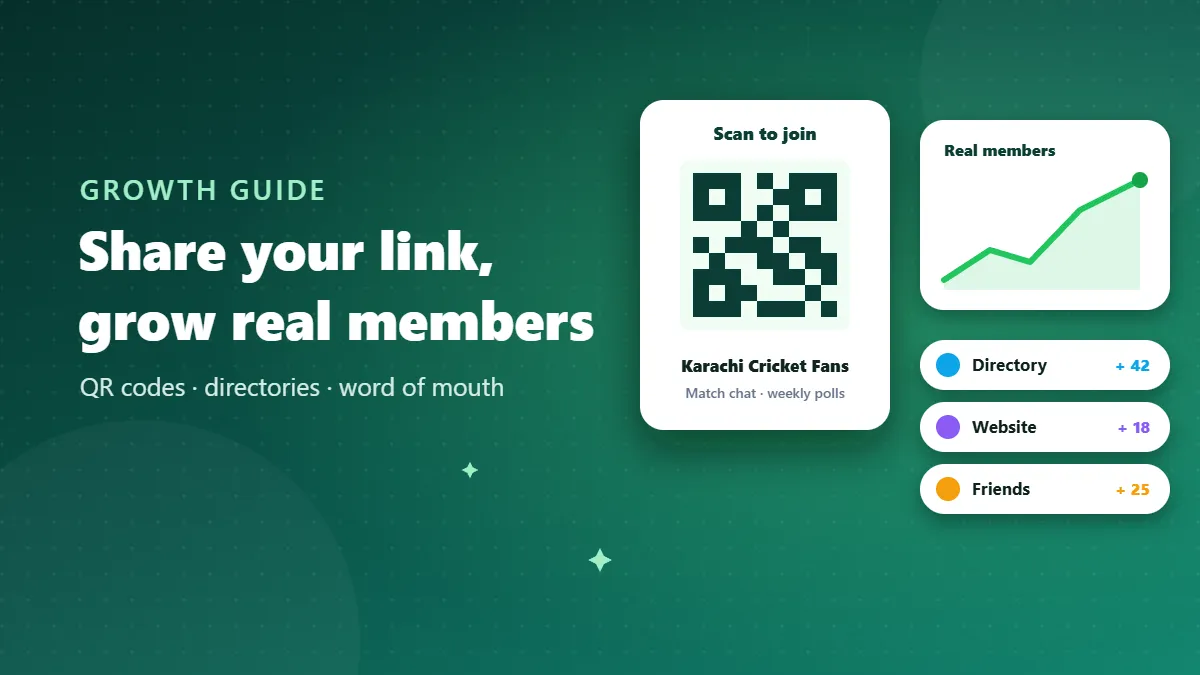
The QR code is perfect for offline places: a shop counter, a classroom notice board, an event banner, a business card. People scan it with their phone camera or from inside WhatsApp and land on the join screen.
Prepare the group before you promote it
New visitors decide in seconds. Before sharing widely, make sure:
- The name clearly says what the group is about and who it is for.
- The picture is simple and relevant.
- The description explains the purpose and lists a few rules.
- Approve new participants is on, so spam accounts cannot join freely.
- Edit group settings is set to admins only.
- There is recent, useful activity. A new member who sees a quiet or spammy chat leaves quickly.
Where to share your link
Where your audience already gathers
The best places are those where people interested in your topic already spend time: a relevant Facebook page or community, a forum, a university notice board, a mosque or community centre, the reception of your gym or shop. A cricket fan group belongs at the local ground and on cricket pages; a study group belongs where students of that class gather.
Your own platforms
If you have a website, a YouTube channel, an Instagram profile or a business page, add the link to your bio, your “contact” section, and the end of relevant posts or videos. These visitors already trust you.
Group directories
Listing your group in a directory such as ours puts it in front of people who are actively searching for your topic. Each listing gets its own page with your group’s name, picture and a guide, which helps people understand your group before they join. Write a clear description when you submit — it improves how your page is presented.
Word of mouth
Ask your most active members to invite people they know who would genuinely enjoy the group. Personal invitations bring the most engaged members of all.
How to write a post that makes people join
Don’t just post a bare link. Tell people what they get:
🏏 Join Karachi Cricket Fans — live match chat, weekly prediction polls and meetups for local games. Friendly, no spam, admins active daily. Link: [your link]
A good post includes: what the group is, the main benefit, what makes it different (rules, active admins, regular events), and the link. Keep it short enough to read in five seconds.
What not to do
- Don’t add people without asking. It annoys them, many leave immediately, and enough reports can get your account restricted.
- Don’t buy members. Fake or forced members never participate and destroy trust when real members notice.
- Don’t spam your link in unrelated groups. Posting it in other people’s groups without permission gets you removed and reported.
- Don’t promise what you can’t deliver. “Daily income”, “guaranteed jobs”, “100% verified” — exaggeration attracts the wrong audience and gets your listing rejected by directories.
- Don’t mass-message the link to your whole contact list. Personal, targeted invitations work better and are not seen as spam.
Keep the link safe as you grow
Public links travel. Within weeks, your link may be copied to sites and groups you never chose. Signs that it has spread too far: sudden join requests from many unrelated countries, accounts with no names or pictures, or a rise in promotional messages. When that happens:
- Go to Invite via link and choose Reset link. The old link stops working immediately.
- Share the new link only in your trusted places.
- Update your directory listing with the new link, so new visitors are not sent to a dead page.
With approval turned on, a leaked link is an inconvenience rather than a disaster, because nobody gets in without an admin’s OK.
Turn new members into active members
Growth only matters if people stay and take part:
- Welcome new members by name in batches, with a link to the rules.
- Ask them to introduce themselves — what they hope to get from the group.
- Give them an easy first action: a poll to vote in, a simple question to answer.
- Keep a weekly rhythm so there is always something to look forward to.
Grow with content, not only with links
The groups that grow fastest are the ones people talk about outside the group. Give members something worth mentioning: a weekly roundup of the best job openings, a monthly meetup, a useful resource list, a fun prediction contest during a tournament. When a member forwards a helpful summary to a friend with “this is from my group — want to join?”, you get a warm, interested new member who already knows what to expect.
Consider a simple, public piece of content linked to your group: a short guide on your topic posted on your social media, a resource page on your website, or a well-written directory listing. Each one works as a permanent signpost that keeps bringing people in long after you posted it.
Seasonal moments
Most topics have busy seasons. Study groups grow before exams and admissions; cricket groups before big tournaments; shopping groups before festivals; job groups at the start of hiring cycles. Prepare before the season: refresh your description, pin a welcome message, appoint an extra co-admin and make sure approval is on. Then share your link a week or two before interest peaks, rather than in the middle of the rush when everyone else is doing the same.
A simple example
Imagine a group called “Rawalpindi Spoken English Practice”. The admin lists it in a directory under Language Learning, prints a QR code for the coaching centre notice board, and posts a short clip on social media showing a five-minute practice session from the group. Every Sunday the group runs a speaking challenge, and members share their progress with friends. Within a few months, most new members arrive through friends and the directory listing — people already interested in practising English — and the group stays active instead of filling with strangers.
Measure what matters
Member count is the easiest number to see and the least useful. Instead, watch how many different people post each week, how quickly questions get answered, and how many new members are still in the group a month later. If those numbers grow, your group is genuinely growing.
When to add a channel
As your group grows, consider a WhatsApp channel alongside it. Share the channel widely for updates — followers cannot see each other’s numbers, so people join more easily — and keep the group for the most engaged members who want to talk. Many successful communities use exactly this two-level setup.
Checklist
- Clear name, picture and description
- Approval on, edit settings admins-only
- Link shared where your audience already is
- Listed in a relevant directory with a good description
- Promotion post that explains the benefit
- Reset link if it attracts spam
- Welcome routine for new members
Share smart, protect the door, and look after the people who join. That is how a group grows into a community rather than just a number.
Frequently Asked Questions
Is it safe to post my group link publicly?
Yes, if you turn on approval for new participants and reset the link if it starts attracting spam.
Should I buy members for my group?
No. Bought or forced members do not participate, often leave, can report the group as spam, and make real members trust you less.
How do I create a QR code for my group?
Open group info, tap “Invite via link”, then choose the QR code option. You can share or print it.
Does listing my group in a directory help?
Yes. Directories bring people who are actively searching for your topic, which usually means more engaged members.