How to Create a WhatsApp Group That People Actually Stay In
Updated 16 Oct 2026
Contents
- Step 1: Decide what the group is for — in one sentence
- Step 2: Choose the right tool
- Step 3: Create the group properly
- Step 4: Set the group settings before inviting anyone
- Step 5: Write rules people will actually read
- Step 6: Invite the right first members
- Step 7: Give the group a rhythm
- Step 8: Moderate early and kindly
- Step 9: Know when to split or upgrade
- A welcome message you can copy
- How to tell if your group is healthy
- A launch checklist
- Why well-designed groups keep their members
Anyone can create a WhatsApp group in a few taps. The hard part is what happens next. Most new groups follow the same curve: a burst of excitement on day one, a handful of messages in the first week, and then silence — or worse, a flood of forwards that makes everyone mute it. Groups that last are not luckier; they are designed. This guide covers the decisions that matter before, during and after you press “Create”, so the people you invite actually want to stay.
Step 1: Decide what the group is for — in one sentence
Before you open WhatsApp, finish this sentence: “This group is for [who] to [do what].” For example: “This group is for Lahore football players to organise weekend matches,” or “This group is for parents of Class 6B to get homework and event updates.”
That sentence becomes your filter for everything else. If someone posts a political video in the football group, you can point to the purpose. If you find yourself wanting to add unrelated topics, that is a sign you need a second group, not a broader first one. Vague groups (“Friends and Fun”, “Business Network”) struggle because nobody knows what is welcome, so people either post everything or nothing.
Step 2: Choose the right tool
A group is for conversation. If you mainly want to send updates to many people, a WhatsApp channel will serve you better, because followers do not see each other’s numbers and there is no chat to moderate. If you run an organisation with several sub-groups, a community lets you link them under one name. Picking the right format at the start saves you a painful migration later.
Step 3: Create the group properly
- Open WhatsApp, tap the new-chat icon and choose New group.
- Add at least one person (you can add more later or use an invite link).
- Name it clearly. Include the topic and, if relevant, the place or audience: “Islamabad Freelancers – Web & Design” says far more than “Freelance Gang”. A clear name also helps the right people find it when you list it in a directory.
- Add a real group picture. A simple logo or a relevant photo makes the group look trustworthy. Avoid images with lots of small text; they look like adverts.
- Write the description straight away. Purpose, three to five rules, and who the admins are. More on this below.
Step 4: Set the group settings before inviting anyone
Open the group info screen and go to Group settings. The defaults are rarely right for a group that will grow.
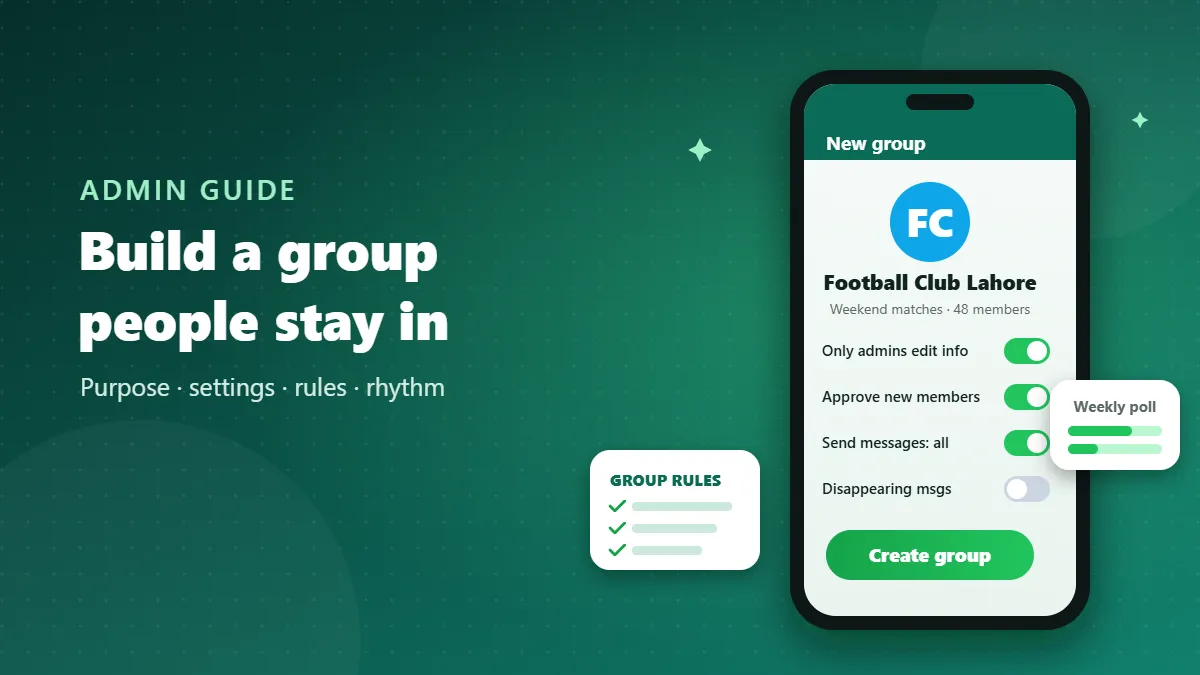
- Edit group settings → Only admins. Stops members from changing the name, picture or description — a common source of pranks and confusion.
- Send messages → All participants for discussion groups, or Only admins for announcement-style groups.
- Approve new participants → On if you will share your link publicly. You see each request and can turn away obvious spam accounts.
- Disappearing messages are worth considering for groups where old messages have no long-term value, such as daily coordination.
Finally, appoint one or two co-admins you trust. Groups with a single admin collapse when that person is busy, travelling or loses their phone.
Step 5: Write rules people will actually read
Long rule lists get ignored. Five short, specific rules work better than twenty general ones. A good set for most groups:
- Stay on topic: [your topic] only.
- No forwards, chain messages or promotions unless an admin allows them.
- Be respectful — no insults, politics or religious arguments.
- No private messages to members without their permission.
- Admins may remove anyone who breaks these rules.
Pin the rules in the description and repeat them in a welcome message when new people join. Rules feel fair when they are visible before someone breaks them.
Step 6: Invite the right first members
The first twenty people set the culture for the next two hundred. Start with people who genuinely care about the topic and are likely to post something useful. A small, active group attracts new members far better than a big, silent one. Resist the urge to add everyone in your contact list; people added without asking are the first to leave — and some will report the group as spam.
When you do share an invite link, share it where your audience already is: a relevant directory, a class notice board, your shop counter, your website. Tell people what they will get by joining, not just that the group exists.
Step 7: Give the group a rhythm
Silence kills groups slowly; chaos kills them quickly. A simple, predictable rhythm prevents both:
- A weekly anchor. A Monday job roundup, a Friday match poll, a Sunday “what did you learn this week?” question. Members start expecting it.
- Polls instead of open questions. “Which day works for the next meetup?” with four options gets ten times more replies than an open question.
- Quiet hours. For large groups, ask members not to post late at night, or use the setting that only admins can send messages overnight.
- Summaries. After a long discussion, an admin can post a three-line summary. Members who were away catch up without scrolling through 300 messages.
Step 8: Moderate early and kindly
The first off-topic forward is a test. If nobody responds, the second, third and tenth will follow. Reply politely but quickly: “Thanks, but please keep this group for cricket only — rule 1.” Most people adjust immediately. For repeat offenders, a private message before removal is courteous; for spam accounts, remove and report without discussion.
Moderating also means protecting quieter members. When a discussion turns into an argument, step in early, move it to private, and remind everyone of the purpose. Members stay in groups where they feel safe to speak.
Step 9: Know when to split or upgrade
Healthy groups grow, and growth changes how they work. Warning signs that it is time to restructure:
- The same questions are asked every day because answers get buried.
- Members complain about too many messages and many have muted the group.
- Different sub-topics compete for attention (beginners vs experts, buyers vs sellers).
Solutions include splitting into topic-specific groups, moving announcements to a channel, or linking several groups into a community. Announce changes in advance and explain why; people accept change when they see the benefit.
A welcome message you can copy
Every new member should see the same short welcome. Keep it in your notes and paste it when people join, or post it weekly for groups that grow quickly:
Welcome to [Group name]! 👋 This group is for [purpose]. Please read the description for our five rules — the short version: stay on topic, no forwards or ads, be kind. Introduce yourself with your name and what you hope to get from the group. Admins: [names].
Asking new members to introduce themselves does two things: it breaks the ice, and it shows you quickly who is a real person and who is a spam account that never speaks.
How to tell if your group is healthy
WhatsApp does not give admins detailed statistics, but you can watch a few simple signals each month:
- Who is talking? If the same three people write every message, invite others in with questions and polls.
- How many leave after joining? A steady stream of exits after a few days usually means the group does not match what new members expected — check your name and description.
- How often do you moderate? Needing to remove off-topic posts daily means the rules are unclear or not visible enough.
- Do replies come quickly? Questions answered within an hour are a sign of a living community.
Small adjustments based on these signals — a clearer description, a new weekly post, an extra co-admin — keep a group healthy long after the launch excitement fades.
A launch checklist
- Purpose written in one sentence
- Clear name and a real picture
- Description with purpose, rules and admin names
- Edit settings: admins only; approval on for public links
- At least one co-admin
- A welcome message ready to paste
- A weekly anchor post planned
Why well-designed groups keep their members
People stay in groups that respect their time. A clear purpose, sensible settings, a few rules that are actually enforced and a steady rhythm do more for retention than any number of members. Build it that way from the start, and your group becomes one of the few that people keep unmuted.
Frequently Asked Questions
How many admins should a group have?
For most groups, two or three admins is ideal: enough to cover different times of day without confusing members about who is in charge.
Should I turn on “approve new participants”?
Yes if your link is shared publicly. It lets you check each person before they can see members’ numbers and messages.
How often should I post as an admin?
Regularly but not constantly. A predictable rhythm — such as a weekly roundup or a daily question — keeps a group alive without flooding it.
What is the best group size?
Discussion works best below roughly 100–150 active people. Above that, consider a channel for announcements and smaller groups for conversation.
Can I change the group name later?
Yes, but do it rarely. Frequent name changes confuse members and can look suspicious.