Added to a WhatsApp Group Without Permission? Here Is What to Do
Updated 28 Oct 2026
Contents
- Why strangers add you to groups
- First: do not interact with the content
- Second: check who added you
- Third: leave, and report if it is spam
- Fourth: stop it happening again
- What if a contact keeps adding you?
- When the group is something you might want
- What happens after you report
- Businesses that add you to groups
- Keeping your number out of spam lists
- Common spam group patterns
- Helping others in your family
- If you already clicked or replied
- The one-minute fix for surprise groups
You open WhatsApp and find yourself in a group you have never heard of: “Crypto Profit Club”, “Online Job Hiring 2026”, or simply a name in another language with a hundred unknown members. Nobody asked you, and the admin is a number you do not recognise. This happens to millions of people, and it is rarely a coincidence. The good news is that you can deal with it in under a minute — and change one setting so it almost never happens again. This guide explains why it happens, what not to do, and the exact steps to take.
Why strangers add you to groups
By default, WhatsApp allows anyone who has your phone number to add you to a group. Spammers take advantage of this. They collect numbers from public groups, buy-and-sell posts, online forms, leaked contact lists and data breaches, then add them to new groups in bulk. Most people leave immediately, but a small percentage stay, read the messages and eventually respond. For the scammer, that small percentage is enough.
Not every unexpected group is a scam. A school may create a parents’ group, a colleague may start a project group, or a relative may add you to a family event group. The steps below help you tell the difference quickly.
First: do not interact with the content
Until you know who created the group and why:
- Do not click any links posted in the group.
- Do not download files, especially apps (APK files), documents asking you to “enable editing”, or anything compressed.
- Do not reply to admins who message you privately.
- Never share a verification code, OTP, bank detail or ID document.
- Do not call back numbers from the group.
Simply reading the group is safe. The risk comes only when you act on what it says.
Second: check who added you
Open the group and look at the system messages at the top: “+92 3xx xxx xxxx added you”. Then open the group info:
- Is the person who added you in your contacts? If yes, it is probably genuine — ask them directly what the group is for.
- What does the description say? Real groups usually explain their purpose; spam groups often have no description or one full of promises.
- Who are the admins? Admins with no name, no photo and foreign numbers, in a group about money or jobs, are a strong warning sign.
- When was it created? A group created minutes ago that suddenly has hundreds of members is almost certainly a bulk-add spam group.
Third: leave, and report if it is spam
If the group is unwanted but harmless — for example, a neighbourhood group you are not interested in — simply leave: group info → Exit group. Only the admins are notified.
If it looks like spam or a scam, report it:
- Open the group info screen.
- Scroll down and tap Report group.
- Keep “Exit group and delete chat” selected and confirm.
Reporting sends the most recent messages to WhatsApp for review and helps get the group and its admins banned. If the admin or another member also messaged you privately, open that chat and use Block and Report there too.
Fourth: stop it happening again
This is the most important step. Go to:
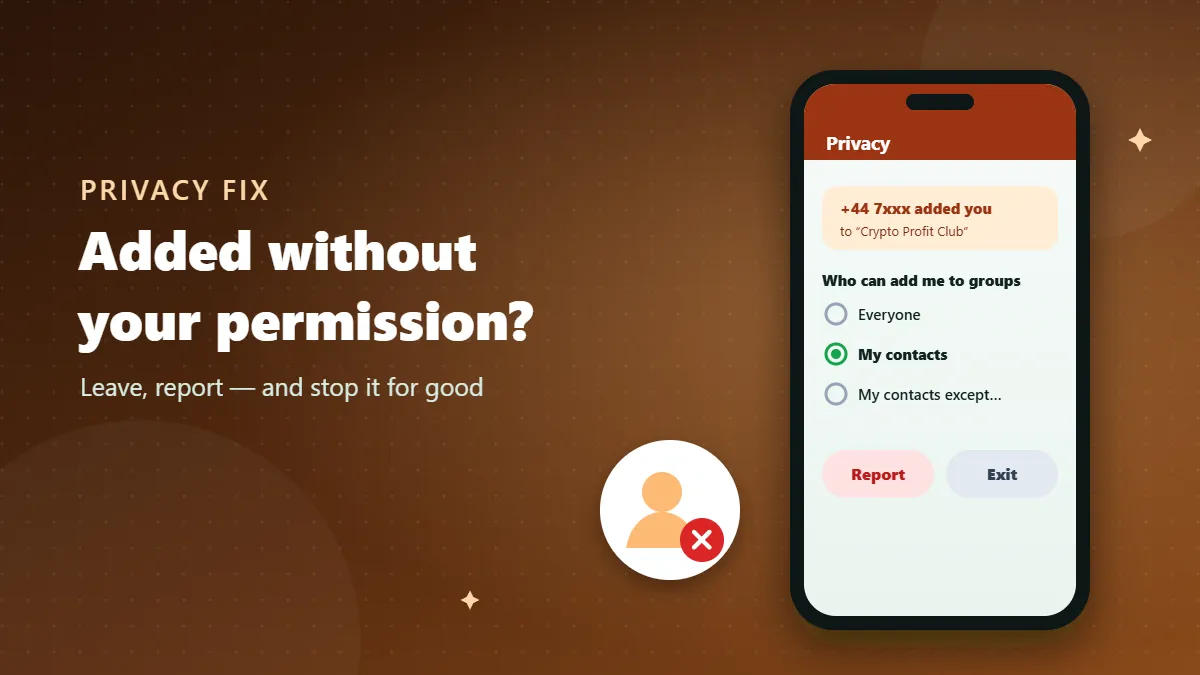
Settings → Privacy → Groups
Choose one of these options:
- My contacts — only people saved in your phone can add you directly.
- My contacts except… — the same, but you can exclude particular contacts who keep adding you to unwanted groups.
After this change, anyone else who tries to add you can only send a private invitation. The invitation appears in a chat with that person, expires after a few days, and does nothing unless you tap it. You will be amazed how much quieter WhatsApp becomes.
What if a contact keeps adding you?
Sometimes the problem is not a stranger but a friend or relative who adds you to every group they create. Use “My contacts except…” and select them. They will not be able to add you directly, and they will not be told that you changed the setting. If you prefer to be open about it, a polite message works well: “Please send me the link instead of adding me — I’m trying to keep my WhatsApp manageable.”
When the group is something you might want
Occasionally an unexpected group turns out to be useful — a new class group, an official community, a local alert channel. Before staying, confirm it with an independent source: ask the school office, check the organisation’s website for the official link, or ask a friend who is also a member. If it checks out, mute it if it is busy and enjoy it. If you cannot confirm it, leave; a genuine group will find another way to reach you.
What happens after you report
When you report a group, WhatsApp receives the most recent messages from that group along with information about the group and its admins. Because chats are end-to-end encrypted, WhatsApp cannot see messages otherwise — your report is what gives them something to review. If the group breaks WhatsApp’s terms, it can be banned and the admins’ accounts restricted. You will not get a personal update, and nobody is told who reported. One report may not be enough on its own, which is why it matters that everyone who receives spam reports it rather than just leaving.
Businesses that add you to groups
Some shops and service providers add customers to promotional groups after a purchase. Even if the business is real, you did not agree to it. Leave the group, then message the business directly and ask them to stop. Legitimate businesses should use opt-in channels or broadcast lists instead, where customers choose to receive updates and do not see each other’s numbers. If a business keeps adding you after you have asked them to stop, block and report the number.
Keeping your number out of spam lists
- Avoid posting your number in public comment sections, open marketplaces and public groups where possible.
- Use a separate number for selling online if you sell regularly.
- Leave large public groups you no longer use — every member can copy your number.
- Check app permissions: some apps request access to contacts they do not need.
You cannot remove your number from every list, but you can make it far less useful to spammers.
Common spam group patterns
| Group type | What it usually wants |
|---|---|
| “Investment / crypto / trading profits” | Money sent to a fake platform |
| “Online jobs – earn daily” | Deposits for “tasks”, or your ID documents |
| “Congratulations, you won” | Fees and personal details for a fake prize |
| Adult or dating groups | Links to malware or paid scams; sometimes blackmail |
| “Official” bank or telecom groups | Your login details or OTP codes |
Helping others in your family
Older relatives and children are often added to the most spam groups and are the most likely to trust them. Take a few minutes to change their Groups privacy setting to “My contacts”, turn on two-step verification, and explain one simple rule: “If you do not know who added you, leave and report.” It is one of the most valuable things you can do for their safety.
If you already clicked or replied
- Stop all further contact and do not send any money or documents.
- If you installed an app from a link, uninstall it and run your phone’s security scan.
- If you entered a password on a linked website, change that password immediately, and anywhere else you used it.
- If you shared a WhatsApp code, re-register WhatsApp on your phone at once and set up two-step verification.
- If money is involved, contact your bank or wallet provider right away and report to your local cybercrime authority.
The one-minute fix for surprise groups
Being added to a random group is not your fault, and it is easy to fix. Do not click anything, check who added you, leave or report, and then set Privacy → Groups to “My contacts”. That last step closes the door that spammers rely on, and turns future surprise groups into invitations you can safely ignore.
Frequently Asked Questions
How did a stranger get my number?
Numbers leak from public groups, online marketplaces, delivery forms, old contact lists and data breaches. Scammers add numbers in bulk to see who responds.
Is it dangerous to open the group?
Opening and reading is safe. The danger is in clicking links, downloading files, calling numbers or sharing codes that the group sends.
Will the admin know I reported the group?
No. Reports are anonymous; the group is not told who reported it.
Can I stop all group invitations?
You can choose “My contacts” or “My contacts except…” so that only trusted contacts can add you; others can only send an invitation that you can ignore.